
Security and audit log
Settings, then Security and audit, lists every sensitive action on your memories by you or your bots. Entries can't be edited, and you can export them.
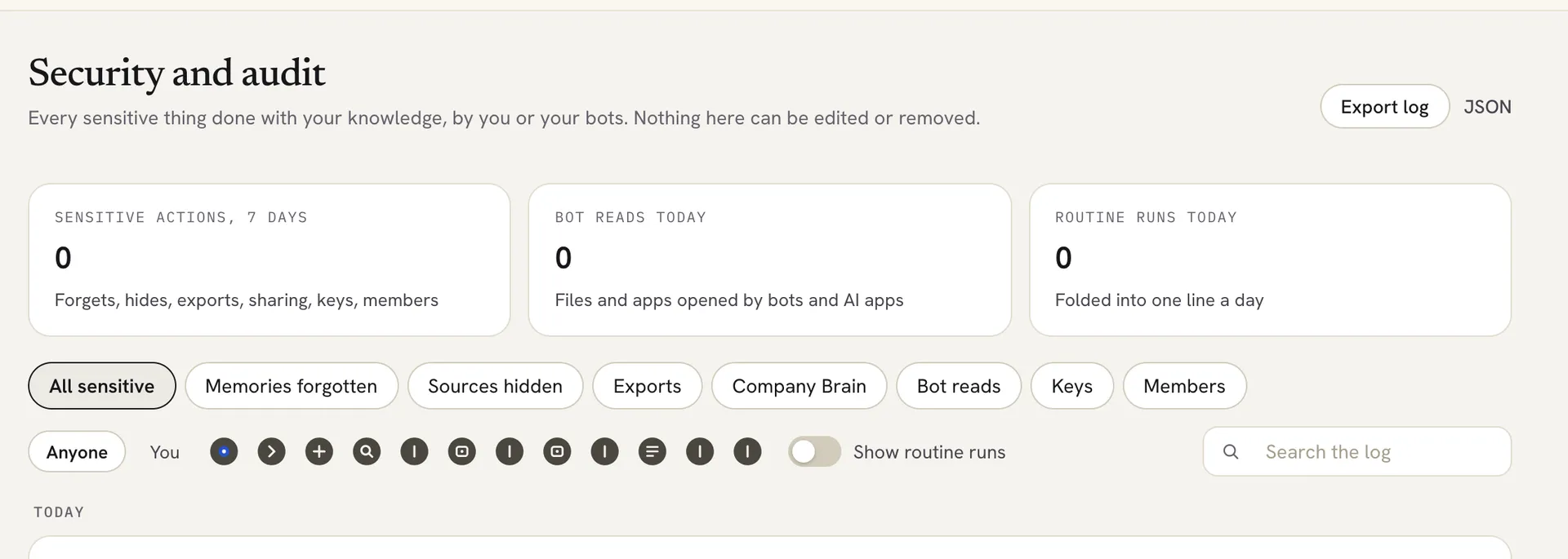
Settings > Security and audit lists every sensitive thing done with your memories, by you or your bots. Nothing in the log can be edited or removed, and you can export it as a CSV or JSON file.
Open the log
- Click the Settings gear at the bottom of the left rail.
- Under You, click Security and audit.
At the top you see three counts: Sensitive actions, 7 days, Bot reads today and Routine runs today.
 ## What gets logged
- An AI app or a bot reading your memories.
- A bot opening a file or app.
- Memories forgotten, and sources hidden (their memories are removed).
- Memories exported, and the audit log itself exported.
- Changes to keys.
- Routine runs.
Find an entry
- Click a filter chip, such as All sensitive, Memories forgotten, Sources hidden, Exports, Bot reads or Keys.
- To see one person or bot, pick You or a bot next to Anyone.
- Type in Search the log to search by word.
- Click an entry to see when it happened, who did it and what it did.
Routine runs are folded into one line per day. Click Show runs to see each run. Turn on Show routine runs to include them in the list. Click Show older to load earlier entries.
Export the log
- Click Export log to save the log as a CSV file.
- Or click JSON to save it as a JSON file.
Locul confirms how many entries it saved and where.
Good to know
- The log is kept by the Locul desktop app on your computer.
- Very old entries are cleared on a schedule. When that happens, the log records it.
Related articles
Did this answer your question?
Thanks for letting us know.Thanks, we will improve this article. Want a hand right now?
Still need help?
Chat with us and get an answer in a few minutes.