
How do I schedule a routine?
Tell a bot in the chat what to do and when, like "every Monday at 9, send me last week's numbers". The bot sets up the routine for you.
On this page
You set up a routine by asking a bot in the chat. Tell it what to do and when, for example “every Monday at 9, send me last week’s numbers”, and the bot sets up the routine for you. There is no form to fill in.
Ask a bot to set up a routine
- Click the bot that should do the work.
- In the chat, say what you want done and when. For example:
- “Every weekday at 9, check my inbox and tell me what needs me.”
- “Every 15 minutes, check whether the site is up.”
- “On the 1st of every month, sum up last month’s sales.”
- Answer any questions the bot asks, then let it finish.
The new routine shows in the bot’s details panel under Scheduled tasks, and on the Routines page.
Or start from the Routines page
- Click Routines at the top of the bot list.
- Click Ask
to set one up , for example Ask Sunny to set one up. This opens a chat with your everyday helper, ready to describe the routine. - Type what you want done and when, and send it.
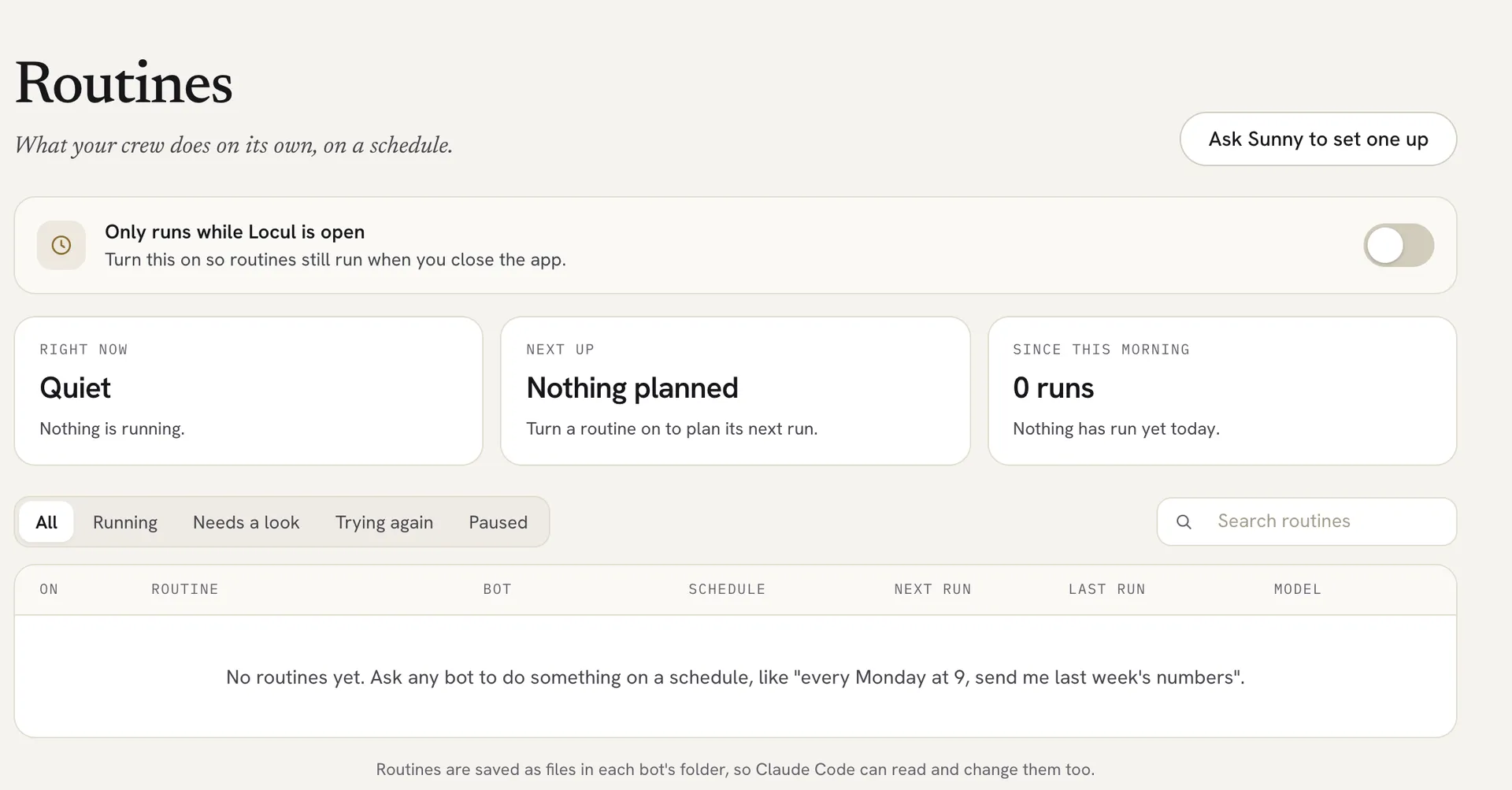
Keep routines running when Locul is closed
By default, routines only run while Locul is open. To keep them on time when you close the app:
- Click Routines at the top of the bot list.
- Turn on the switch next to Only runs while Locul is open. It changes to Runs while Locul is closed.
A small helper then runs in the background on your computer.
Turn a routine on or off
- On the Routines page, use the switch in the On column.
- Or open the bot’s details panel and use the switch next to the task under Scheduled tasks.
Routines that came in from an import start switched off. Turn them on when you are ready.
Change or remove a routine
Tell the bot in the chat, for example “move my Monday report to 10:00” or “stop the inbox check”. To remove one yourself, open the bot’s details panel, click the task under Scheduled tasks, and click Remove.
Good to know
- A routine runs with no one watching, so it only does what that task allows. If it needs your OK, it waits for you. See Control what a bot can do without asking.
- Routines are saved as files in each bot’s folder, so Claude Code can read and change them too.
Related articles
Did this answer your question?
Thanks for letting us know.Thanks, we will improve this article. Want a hand right now?
Still need help?
Chat with us and get an answer in a few minutes.