
How do I see and edit what a bot remembers?
Open the bot's details and click the Memory tab. You can search, edit or forget each memory, and edit the bot's memory.md rules.
On this page
Open the bot, click its name at the top of the chat, and choose the Memory tab. There you can search, edit or forget anything the bot remembers.
Open a bot’s memory
- In the bot list on the left, click the bot.
- Click the bot’s name at the top of the chat, or the panel button at the top right.
- Click the Memory tab.
You see two lists: What {bot} remembers and Related from your brain.
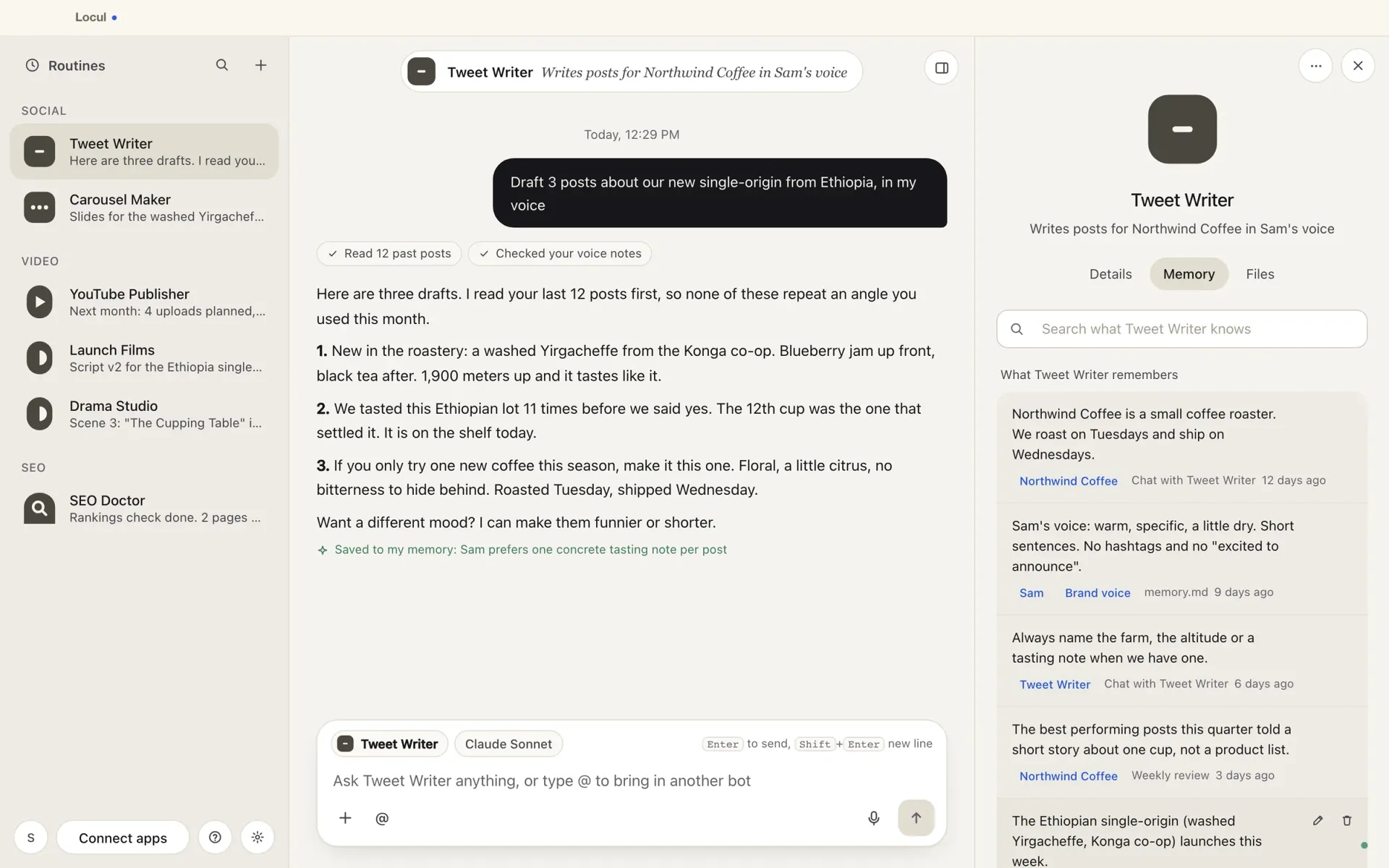
Find a memory
Type in the search box (“Search what {bot} knows”). The search matches words, so try a name or a key term. Click a tag on a memory to show only memories about that person, company or topic.
Edit a memory
- Point at the memory and click the pencil icon.
- Change the text.
- Click Save, or press Cmd+Enter (Ctrl+Enter on Windows). Click Cancel to leave it as it was.
Forget a memory
- Point at the memory and click the trash icon.
- The memory shows Forgotten. Click Undo within 5 seconds if you change your mind.
Teach the bot something new
Tell it in the chat, for example: “From now on, sign my emails with just my first name.” The bot saves it as a memory.
Edit the bot’s rules (memory.md)
Each bot also has a short rules file it reads before every chat and scheduled task.
- In the Memory tab, open memory.md.
- Click Edit.
- Write one rule per line, starting with “- “.
- Click Save. You see memory.md saved.
Memories live in your Locul brain, so your other AI apps know them too. To browse all memories across every bot, open Settings > Memory.
Related articles
Did this answer your question?
Thanks for letting us know.Thanks, we will improve this article. Want a hand right now?
Still need help?
Chat with us and get an answer in a few minutes.