
How does Locul memory work?
Locul reads your notes, turns them into short memories in your brain, and lets your bots and other AI apps recall them when they need context.
On this page
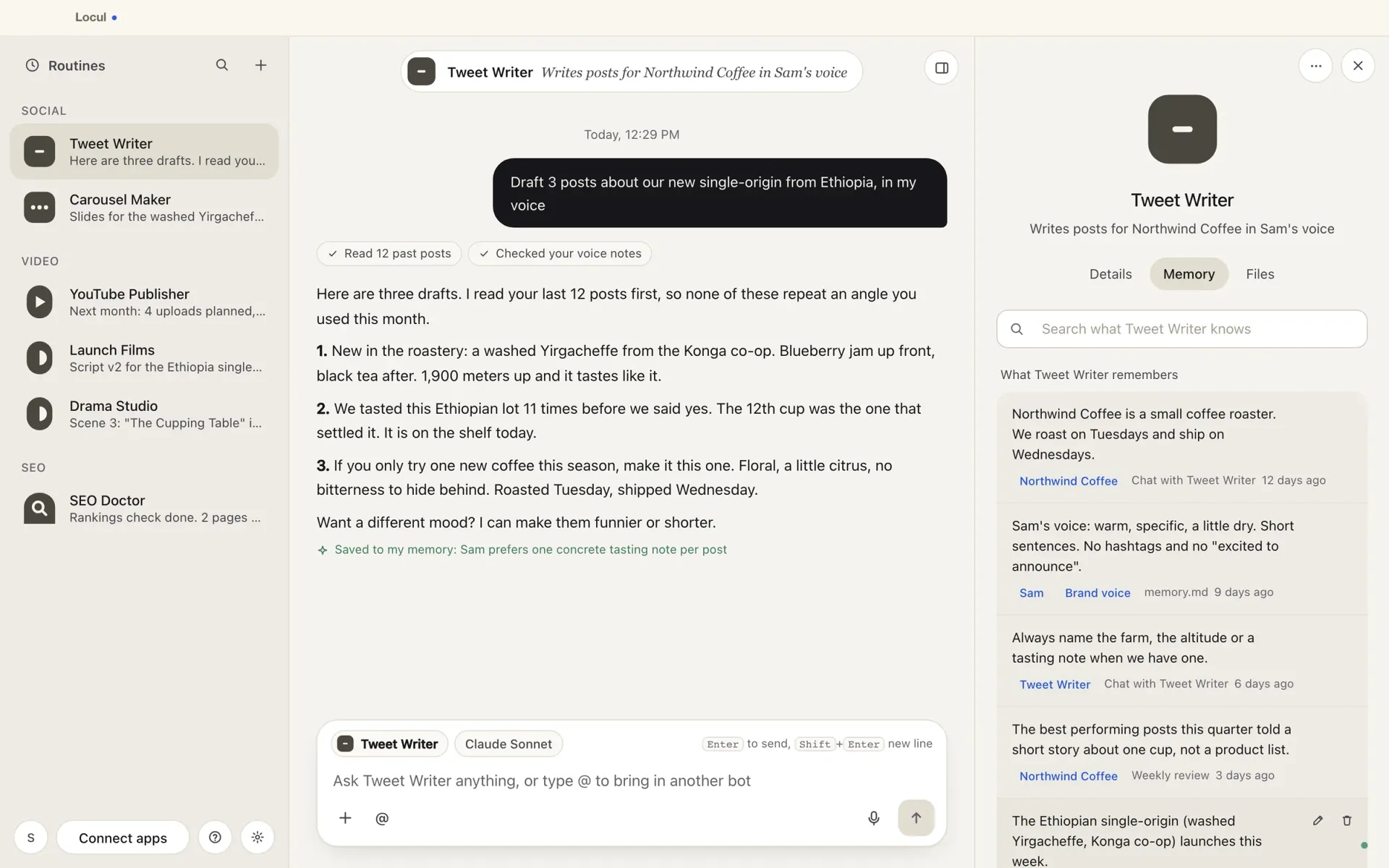
Locul reads the notes on your computer and turns them into short, searchable memories. Your bots and your other AI apps then recall those memories, so you stop explaining the same things again.
Where memories come from
- Your notes. Locul reads Markdown files and PDFs in your home folder. It skips folders like code dependencies on its own. You can hide any folder or file you don’t want it to read.
- Your chats. Tell a bot something like “from now on, keep replies short” and it remembers it.
- You. In Settings, open Memory and press Remember or edit to add or change a memory yourself.
Where they are kept
Memories live in your Locul brain on this computer. If Where your memories are stored is set to Cloud in Settings > Cloud and local, they also sync to Locul’s cloud so your other computers and web AI apps can reach them. Choose Local-only and nothing leaves this machine.
How memories get built
To turn notes into memories, Locul uses an AI engine. To see which one, open Settings > Cloud and local and look at Memories are built on:
- A cloud engine: your notes go outside your network while memories are built.
- This computer: your notes stay here while memories are built.
- A server on your network: your notes go only to that server.
To read your notes again and look for new memories, open Settings > Memory and press Build memories. You can pause and resume a build. If you reach your plan’s memory limit, the build pauses and says so.
Who can use your memories
- Your bots. Each bot has its own memories and a short rules file called memory.md. It also sees related memories from your whole brain.
- Your other AI apps. Claude Desktop, Claude Code, Codex, Cursor and others can read your brain once you connect them.
Related articles
Did this answer your question?
Thanks for letting us know.Thanks, we will improve this article. Want a hand right now?
Still need help?
Chat with us and get an answer in a few minutes.