
What is Locul?
Locul is a free Mac and Windows app that runs a team of AI bots on your computer, each with its own job, memory, files and schedule.
On this page
Locul is a desktop app for Mac and Windows that runs AI bots on your own computer. Each bot does one kind of work, remembers how you like things done, keeps its own files and can run jobs for you on a schedule.
What you can do with it
- Chat with a bot. Ask it a question, give it a task, or teach it how you work. It saves what it learns to its memory.
- Give each kind of work its own bot. Every bot has its own instructions, memory, folder and scheduled tasks.
- Run routines. Tell a bot something like “every weekday at 9, check my inbox” and it sets up a routine that runs on a schedule.
- Stay in control. A bot reads freely, but asks you before it changes or sends something, unless you allow it.
- Bring your existing bots. Import skills and agents from Claude Code and Codex, and agents from Grok Bot.
- Install ready-made bots from the Marketplace.
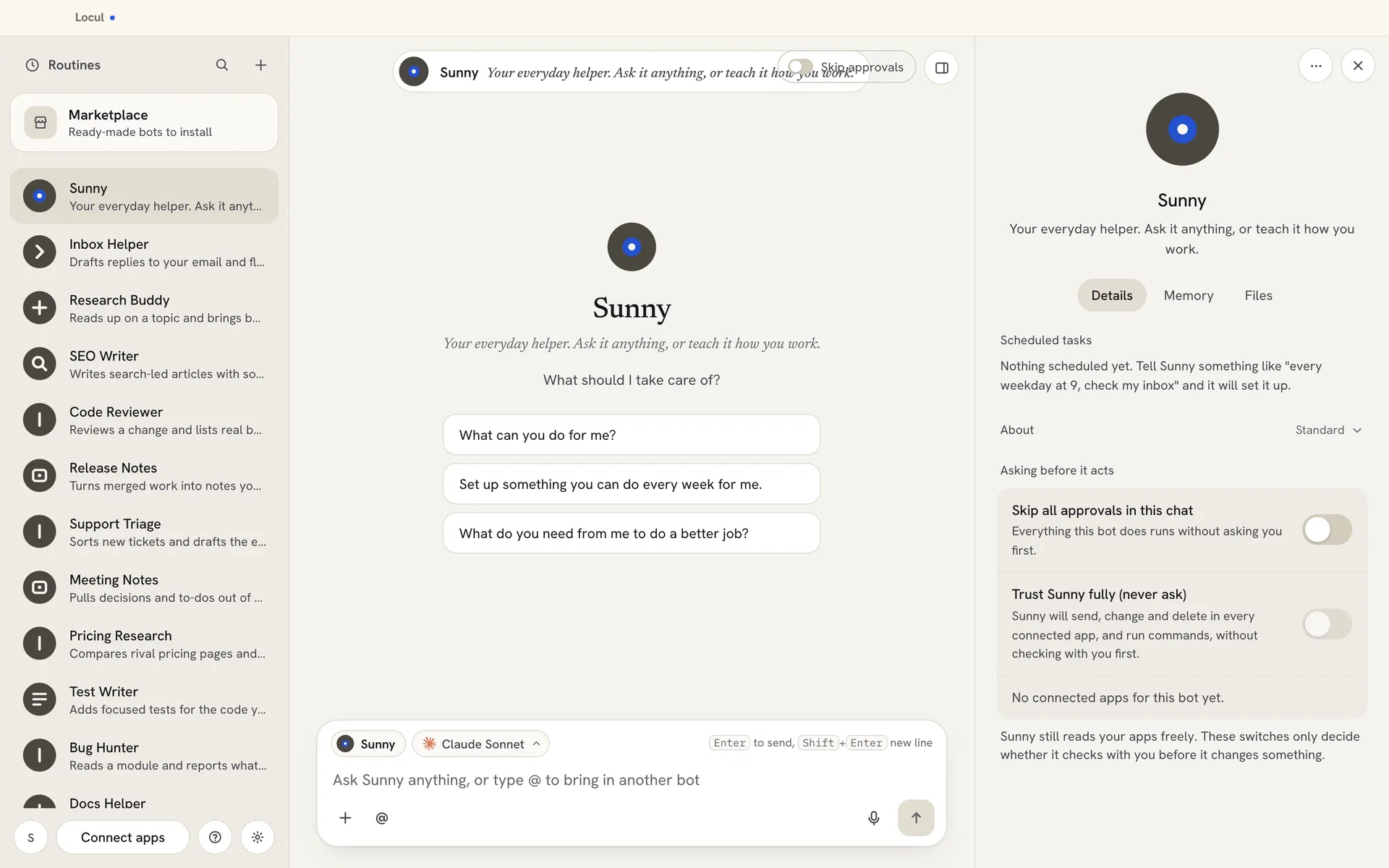
How the screen is laid out
- Left: the Routines tab, search, the + button for a new bot, the Marketplace, and your list of bots. At the bottom are your account, Connect apps, Help and feedback, and Settings.
- Middle: the chat with the bot you picked.
- Right: the bot’s details panel, with the tabs Details, Memory and Files.
Which AI runs your bots
Your bots run on the AI plans you already use, such as Claude Code, Codex / ChatGPT or Grok. You pick these the first time you open Locul, and you can change the AI later in Settings > AI model.
Related articles
Did this answer your question?
Thanks for letting us know.Thanks, we will improve this article. Want a hand right now?
Still need help?
Chat with us and get an answer in a few minutes.