
Manage your plan and billing
Open Settings, then Account, and click Manage billing to change your card, see invoices, update VAT details or cancel your plan.
On this page
Open Settings > Account and click Manage billing. It opens the secure billing portal, where you can update your card, see invoices, change VAT details or cancel.
See your plan
- Click the Settings gear at the bottom of the left rail.
- Click Account.
- Under Plan and billing, you see your plan and its status:
- Trial: when your card will be charged, unless you cancel.
- Renews with a date: your plan renews on that day.
- Canceling and Access ends with a date: your plan works until that day.
Your plan follows your Locul account (your email), not the computer.
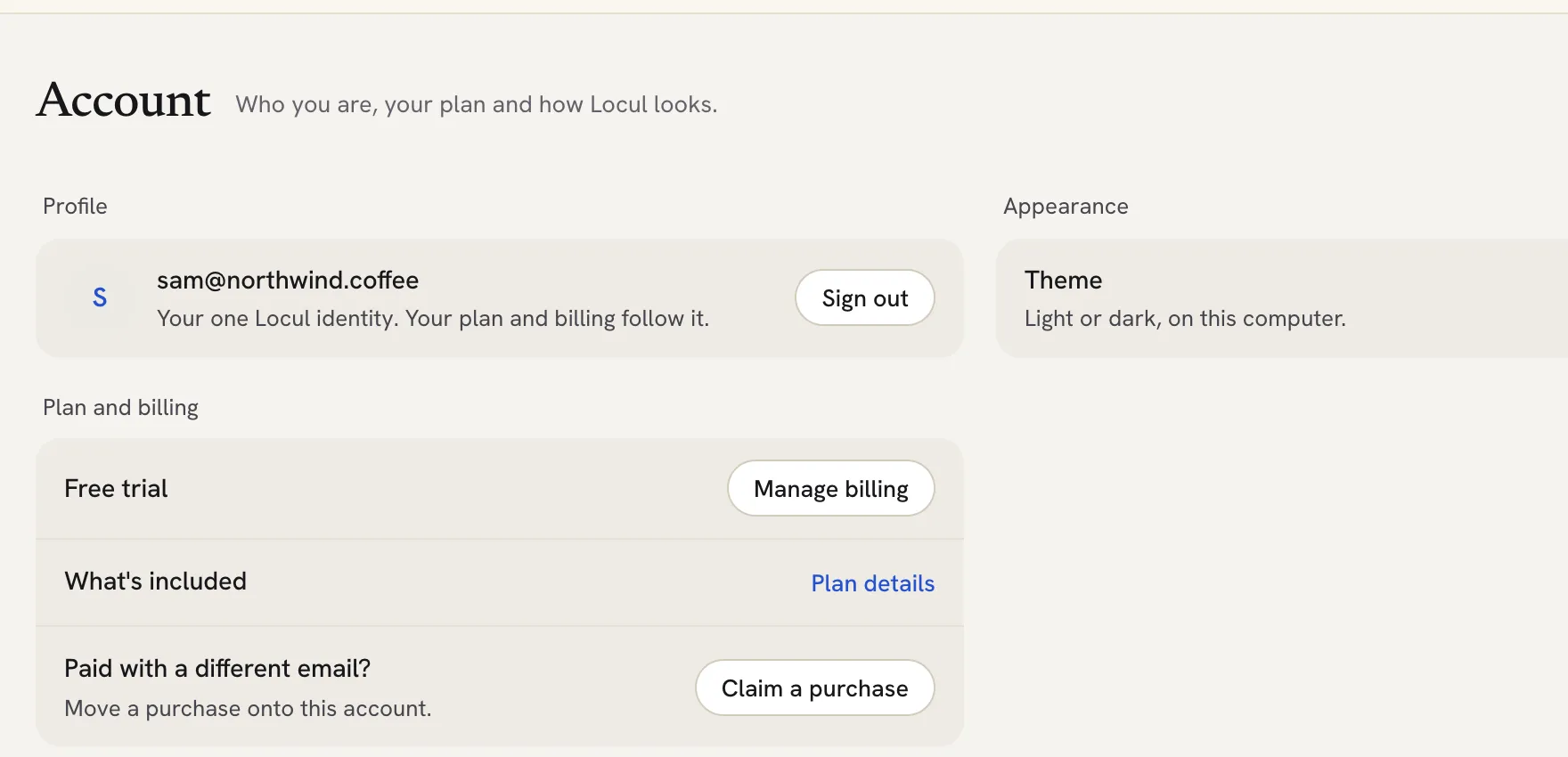 ## Change your card, VAT details or see invoices
- In Settings > Account, click Manage billing.
- The billing portal opens in your browser.
- Make your change there. Back in Locul, your plan refreshes on its own when you return to the app.
You can also manage billing on the web: sign in at https://locul.ai/account/ and click Manage billing.
Cancel your plan
- In Settings > Account, click Manage billing.
- In the billing portal, cancel your plan.
- Your plan keeps working until the end of the period you paid for. The app shows Canceling and the date access ends.
If you cancel during a free trial, your card is not charged.
Upgrade from the free plan
- In Settings > Account, click See plans.
- Pick a plan on the pricing page and check out with the email you use in Locul.
Prices are listed on locul.ai/pricing. VAT is added at checkout where it applies.
Paid with a different email
If you paid with another email address, move the plan to the account you sign in with:
- In Settings > Account, click Claim a purchase.
- Enter the email you bought with and click Send code.
- Enter the code from that inbox and click Verify and claim.
You will see Purchase claimed. Your plan now follows this account.
Troubleshooting
- “Could not open the billing portal. Try again.” Check your internet connection and click Manage billing again.
- If your card was declined, Locul shows Your card was declined. Click Update your card and enter a new card.
- Billing questions: email [email protected] from your account email.
Related articles
Did this answer your question?
Thanks for letting us know.Thanks, we will improve this article. Want a hand right now?
Still need help?
Chat with us and get an answer in a few minutes.